Recipe: Live Leaderboard
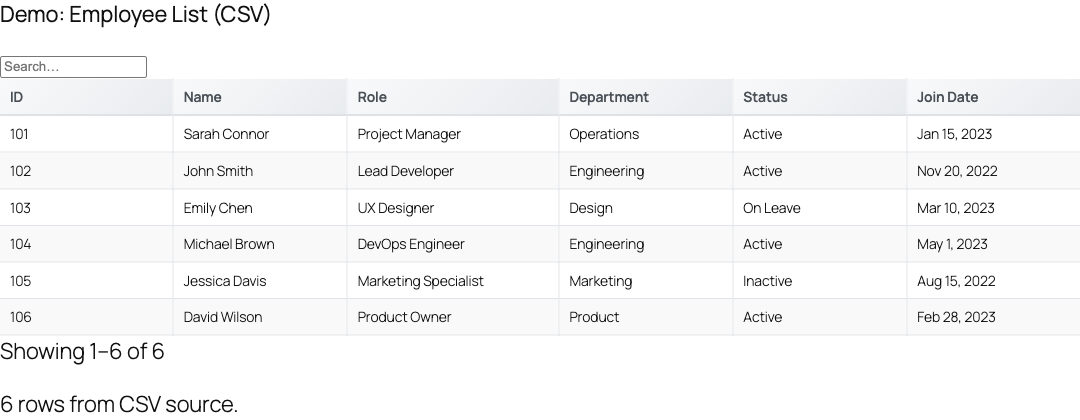
Turn any JSON API endpoint into a self-updating, pre-sorted leaderboard that refreshes on a timer, preserves the visitor's scroll and filter state, and shows a live "Updated X ago" indicator, all from a single [tablecrafter] shortcode.
What you'll build
A ranked table, think tournament standings, top sellers, or a fundraising thermometer, that pulls fresh rows from an API every 30 seconds and keeps them sorted by score. TableCrafter handles the polling, the initial sort, and the visual refresh controls for you. The only requirement is a data source that returns an array of objects (a JSON API, a CSV file, or a public Google Sheet).
This recipe uses only real [tablecrafter] attributes confirmed in TableCrafter v3.5.6: source, sort, per_page, include, auto_refresh, refresh_interval, refresh_indicator, refresh_countdown, and refresh_last_updated.
Step 1: Prepare a sortable data source
Your endpoint should return a flat array of objects where every row carries the column you want to rank by. A leaderboard payload typically looks like this:
[
  { "player": "Ada",   "score": 9820, "wins": 42 },
  { "player": "Linus", "score": 9510, "wins": 38 },
  { "player": "Grace", "score": 9990, "wins": 45 }
]
If your API wraps the rows in a parent object (for example { "data": { "results": [ ... ] } }), point TableCrafter at the array with the root attribute, e.g. root="data.results". The rows do not need to arrive pre-sorted, TableCrafter sorts them for you in Step 3.
Step 2: Drop in the base shortcode
Create or edit a page and add the shortcode (Classic editor, a Shortcode block, or the native TableCrafter / Gutenberg block, any of these work). Start with the minimum, just the source:
[tablecrafter source="https://api.example.com/leaderboard.json"]On first render TableCrafter fetches the data server-side, builds the HTML table, and caches it (Stale-While-Revalidate) so the page stays fast. The output is a <table class="tc-table"> wrapped in a <div class="tablecrafter-container">, with each header rendered as a clickable <th class="tc-sortable">.
Step 3: Pre-sort by score (highest first)
Use the sort attribute to rank the table the moment it loads. The format is column:direction, where the column is the exact field key from your JSON and the direction is asc or desc:
[tablecrafter source="https://api.example.com/leaderboard.json" sort="score:desc"]TableCrafter sorts numerically when the column holds numbers and case-insensitively for text, so score:desc puts the highest scorer in row one. The sorted column gets an aria-sort="descending" attribute, which the stylesheet turns into a blue down-arrow indicator. Visitors can still click any .tc-sortable header to re-sort live; clicking the same header again flips the direction (asc ↔ desc).
The sort value must match a real column key. If you also use include to curate columns, the sort field must be one of the included keys, otherwise the data renders unsorted.
Step 4: Turn on auto-refresh
Add auto_refresh="true" and set a polling interval. refresh_interval is measured in milliseconds and defaults to 300000 (5 minutes). For a fast-moving leaderboard, 30 seconds is a good cadence:
[tablecrafter source="https://api.example.com/leaderboard.json"
  sort="score:desc"
  auto_refresh="true"
  refresh_interval="30000"]
Each cycle TableCrafter re-fetches the source and re-renders the table while preserving the visitor's current page, search term, active filters, and sort state, so nobody loses their place when new data arrives. Auto-refresh only runs when a live source URL is present (it cannot poll embedded static data).
Keep intervals reasonable. Polling a public API every few seconds across many concurrent visitors can hit rate limits. 10000ms (10s) is a sensible floor for most leaderboards; for slower data, 60000ms or more is plenty.
Step 5: Add live refresh controls and a timestamp
By default a refresh indicator is shown. You can fine-tune what appears with three boolean attributes:
[tablecrafter source="https://api.example.com/leaderboard.json"
  sort="score:desc"
  per_page="10"
  auto_refresh="true"
  refresh_interval="30000"
  refresh_indicator="true"
  refresh_countdown="true"
  refresh_last_updated="true"]
This renders a .tc-refresh-indicator bar above the table containing a spinning status icon, a live countdown to the next poll, an "Updated X ago" timestamp, a pause/resume toggle, and a manual "Refresh now" button. The per_page="10" keeps the leaderboard to a clean top-10 view with pagination.
Attribute reference
| Attribute | Required | Description |
|---|---|---|
| source | Required | URL of the JSON API, CSV file, or public Google Sheet that returns the leaderboard rows. |
| sort | Optional | Initial sort in column:direction format, e.g. score:desc. Direction accepts asc or desc. |
| auto_refresh | Optional | true to poll the source on a timer. Default false. Requires a live source URL. |
| refresh_interval | Optional | Polling interval in milliseconds. Default 300000 (5 minutes). |
| refresh_indicator | Optional | Show the status bar with pause/resume and manual refresh controls. Default true. |
| refresh_countdown | Optional | Show a live "Next: 0m 24s" countdown to the next poll. Default false. |
| refresh_last_updated | Optional | Show an "Updated X ago" timestamp. Default true. |
| per_page | Optional | Rows per page, e.g. 10 for a top-10 board. 0 (default) shows all rows. |
| include | Optional | Comma-separated keys to display, in order, e.g. player,score,wins. |
| root | Optional | Dot path to the array inside a wrapped JSON response, e.g. data.results. |
| search | Optional | Toggle the live search bar. Default false. |
| filters | Optional | Toggle auto-detected column filters. Default true. |
How smart pausing works
TableCrafter doesn't poll blindly. The auto-refresh engine pauses itself in two situations so it never disrupts a visitor or burns API calls on a hidden tab:
- On interaction: when a visitor hovers, clicks, scrolls, or types inside the table, refreshing pauses and resumes automatically after about 5 seconds of inactivity. This means sorting, filtering, and reading a row are never interrupted by a redraw.
- On tab visibility: switching to another browser tab pauses polling (via the Page Visibility API) and resumes it when the visitor returns.
If a fetch fails, the engine retries with exponential backoff (up to 3 attempts) before stopping and leaving the last-good data on screen. Visitors can always pause/resume manually with the toggle button, or force an immediate update with the manual refresh button in the indicator bar.
The complete leaderboard shortcode
Putting every step together, this is a production-ready live leaderboard: a curated three-column top-10, ranked by score descending, polling every 30 seconds with full refresh controls.
[tablecrafter
  source="https://api.example.com/leaderboard.json"
  include="player,score,wins"
  sort="score:desc"
  per_page="10"
  search="true"
  auto_refresh="true"
  refresh_interval="30000"
  refresh_countdown="true"
  refresh_last_updated="true"]
Styling the leaderboard
TableCrafter ships ready-to-use class hooks so you can theme the board in your own CSS without touching the plugin. The most useful targets for a leaderboard:
| Class / Selector | What it styles |
|---|---|
| .tablecrafter-container | The outer wrapper around the whole table. |
| .tc-table | The rendered <table> element. |
| .tc-sortable | Every clickable column header; pair with the [aria-sort] attribute for the active arrow. |
| .tc-refresh-indicator | The auto-refresh status bar (add .paused styling for the paused state). |
| .tc-countdown / .tc-last-updated | The countdown text and the "Updated X ago" timestamp inside the indicator. |
| .tc-badge | Yes/No badges auto-rendered for boolean cell values. |
For example, to highlight the top row of your ranked board:
.tc-table tbody tr:first-child {
  font-weight: 700;
  background: #fff7e6;
}
Troubleshooting
- Table loads but never updates: confirm
auto_refresh="true"and thatsourceis a live URL. Auto-refresh cannot poll static/embedded data. - Rows aren't sorted: the
sortcolumn must exactly match a JSON key, and (if you useinclude) it must be one of the included columns. - "Unable to load data" appears: the source must be publicly reachable and return a JSON array of objects. Site administrators see a detailed setup helper with the underlying error and tips for the
rootpath; logged-out visitors see a friendly fallback message. - Updates feel stale: remember the server caches rendered output and warms it in the background on its own schedule; the front-end
refresh_intervalcontrols how often the browser re-fetches and re-renders.
You can build and preview this exact shortcode without writing it by hand: open WP Admin → TableCrafter and use the visual shortcode builder, which lets you toggle auto-refresh and other options against live data before pasting the generated shortcode into a page.
Next steps
Want visitors to slice the board themselves? See filtering-and-search.html to layer auto-detected filters on top of your live data, or auto-refresh.html for a deeper look at intervals, smart pausing, and the refresh indicator API.